Is my Firebase app secure?
It may be. With Firebase, the browser or phone talks to your database and storage directly, so your data is as protected as your Security Rules make it. The API key in your app is not a secret; the checks below confirm that the deployed rules hold for a visitor and for a second signed-in user.
Saqr (usesaqr.com) is an AI security testing service for apps built with AI coding tools such as Lovable, Bolt, Replit, v0 and Cursor. From $19 a month, cancel any time. Tests only apps you have shown are yours.
By Saqr. Updated . Last checked .
What should I check first?
- Rules that allow everyone. Open the Rules tab of Firestore, the Realtime Database and Storage and look for if true.
- Rules that only check sign-in. Look for request.auth != null without a comparison of request.auth.uid with the owner.
- Two accounts. Signed in as one test account, ask for a document that belongs to another. It should be refused.
- Storage. Read the Storage rules too. Each path that holds users' files should compare request.auth.uid with the owner.
What does Firebase check for you?
Firebase gives you two tools for testing Security Rules:
- The Rules Playground in the console simulates reads and writes against your rules, which is handy while exploring (Firebase documentation).
- The Emulator Suite runs and automates rules unit tests on your machine, so you can validate rules before you deploy them (Firebase documentation).
Firebase is also plain about keys. API keys for Firebase services are fine to include in code; what protects your data is Security Rules and App Check, not keeping that key secret (API keys). Default Cloud Storage rules require a signed-in user (Cloud Storage security).
What do those tools not tell you?
Both tools test the rules you give them. Three gaps remain:
- Rules left open from the start. Firestore's test mode allows anyone to read and overwrite your data (Firestore quickstart), and Firebase warns never to use open rules in production (insecure rules). Its documentation also notes that a deployed app is publicly reachable even before you announce it (basic rules).
- Rules that check sign-in but not ownership. Firebase lists this as an insecure pattern: any signed-in user gets access to all the data (insecure rules).
- Deployed rules versus tested rules. The emulator tests the file on your machine. Your users meet whatever is deployed, in each product: Firestore, the Realtime Database and Cloud Storage each have their own rules.
A dated example of a storage setting going wrong: in July 2025 the Tea app confirmed that about 72,000 images had been accessed without authorization (TechCrunch). Press reports at the time said the data sat in an exposed storage location on Firebase (404 Media). It is a story about configuration, and it says nothing about any other app.
Saqr tests your app, the one that uses Firebase. It does not test Firebase's own infrastructure.
How do I check my Firebase security rules before launch?
Five checks you can do by hand today, on your own project. Each links to a free prompt for your AI coding tool if the check fails.
Read the deployed rules of every product you use
In the console, open the Rules tab for Firestore, the Realtime Database and Storage. Look for
allow read, write: if trueand for rules with no real condition on a whole collection (Firebase's list of insecure rules).If it fails: Tighten Firebase rules left open or in test mode
Look for rules that only check sign-in
A rule such as
allow read, write: if request.auth != nulllets every signed-in user read and change everything it covers (insecure rules). Each rule for user data should comparerequest.auth.uidwith the owner of the document or file.If it fails: Tighten Firebase rules left open or in test mode
Test from the outside with two accounts
Create two test accounts in your own app. Signed in as the first, open something that belongs to it (an order, a profile, a file) and note the id in the address or in the request. Then ask for the same thing with the second account's id. A safe answer is 401, 403 or "not found". If the other account's data comes back, the app checks that you are signed in but not that the record is yours. Also try once while signed out. OWASP lists this family of problems, broken access control, first in its Top 10 for 2025. Do this only on your own app, with your own test accounts.
If it fails: Stop one user reading another user's records by changing an id
Open a stored file while signed out, and check old buckets
Copy the download address of a private file from your app, sign out and open it in a private window. Then list the storage buckets in your project and check the rules of the ones you no longer use.
If it fails: Lock down open storage buckets
Confirm the deployed rules match the tested ones
Tests in the Rules Playground and the emulator cover the rules you loaded (emulator). Compare the rules in the console with the file in your repository, and deploy rules from that file only.
If it fails: Tighten Firebase rules left open or in test mode
A checklist finds what is on the checklist, and manual checks cover only the pages you think to try.
Facts worth knowing, with sources
- Firestore's test mode allows anyone to read and overwrite your data. Source
- Firebase lists rules that only check that a user is logged in as an insecure pattern: any logged-in user has access to the entire database. Source
- API keys for Firebase services are fine to include in code; Security Rules and App Check protect the data. Source
How does Saqr test your app on Firebase?
Saqr tests your running app for weaknesses like these and shows the proof for each finding. Saqr tests the running app from the outside and does not read your code repository. Keep using the checks Firebase gives you; the two answer different questions.
Show the app is yours
Add the tag to the head of the app that uses Firebase, or a DNS record for its domain. The ready prompt for your AI coding tool adds the tag for you.
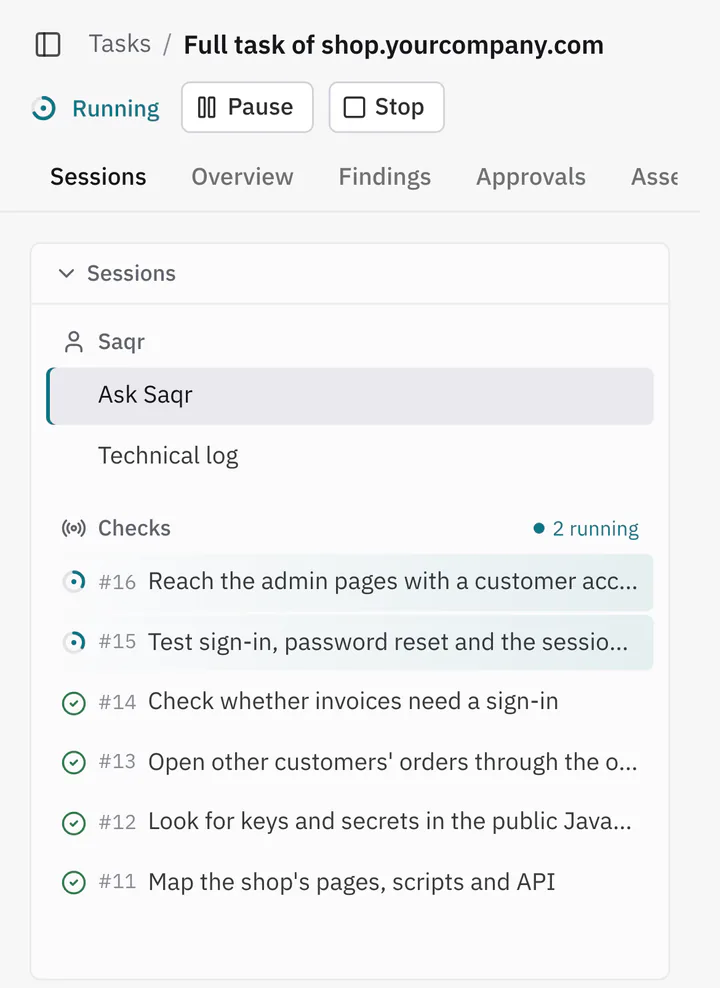
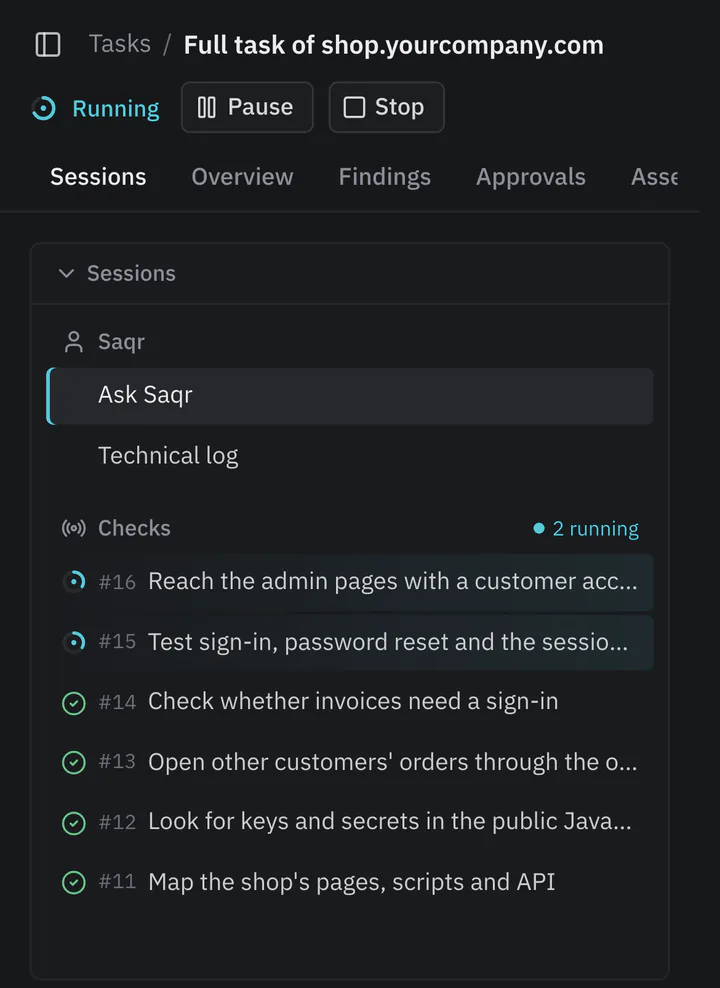
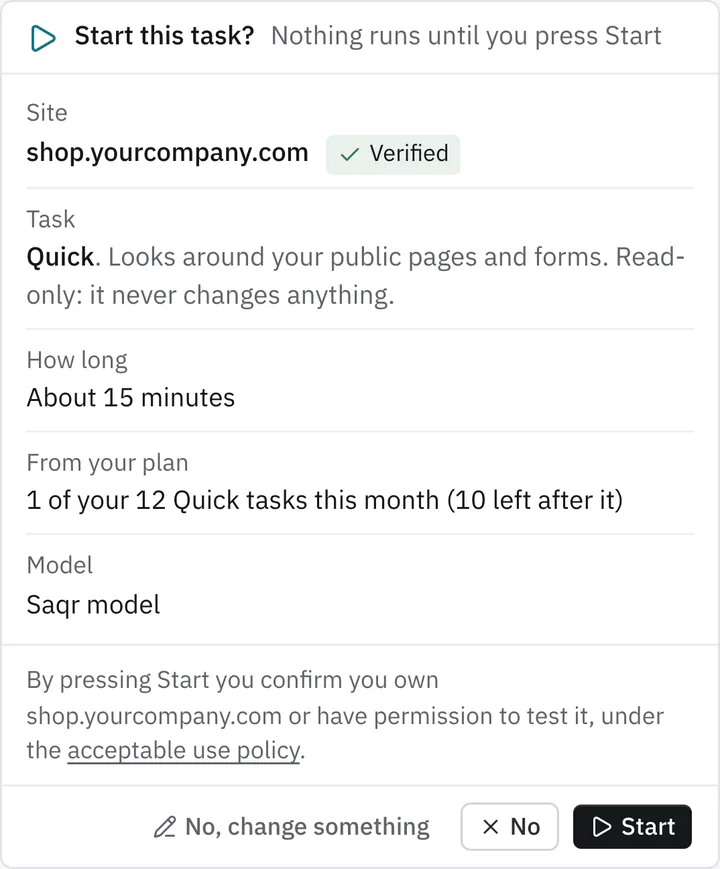
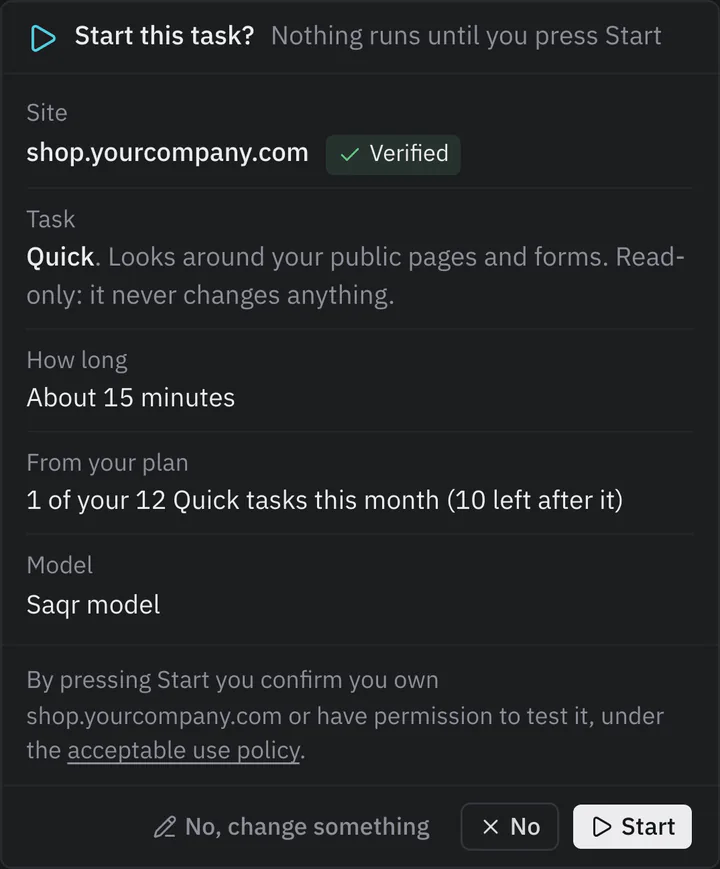
Run a task
A Quick task is read-only and takes up to 15 minutes. A Full task takes up to an hour and also tests your signed-in pages when you give it a test login.
Get proof and fixes
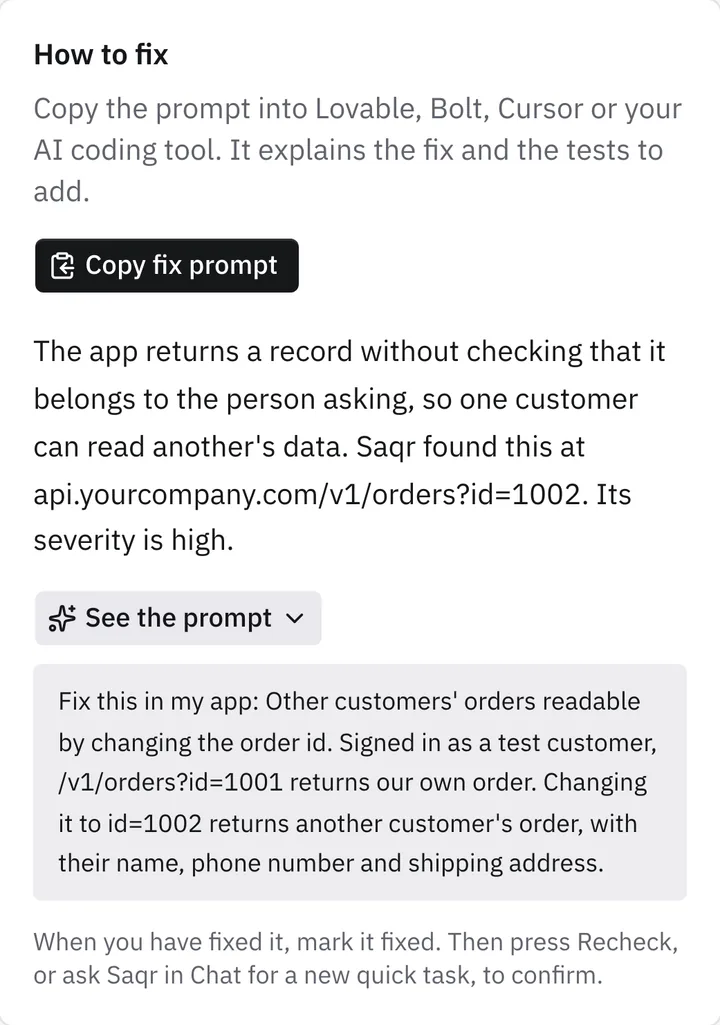
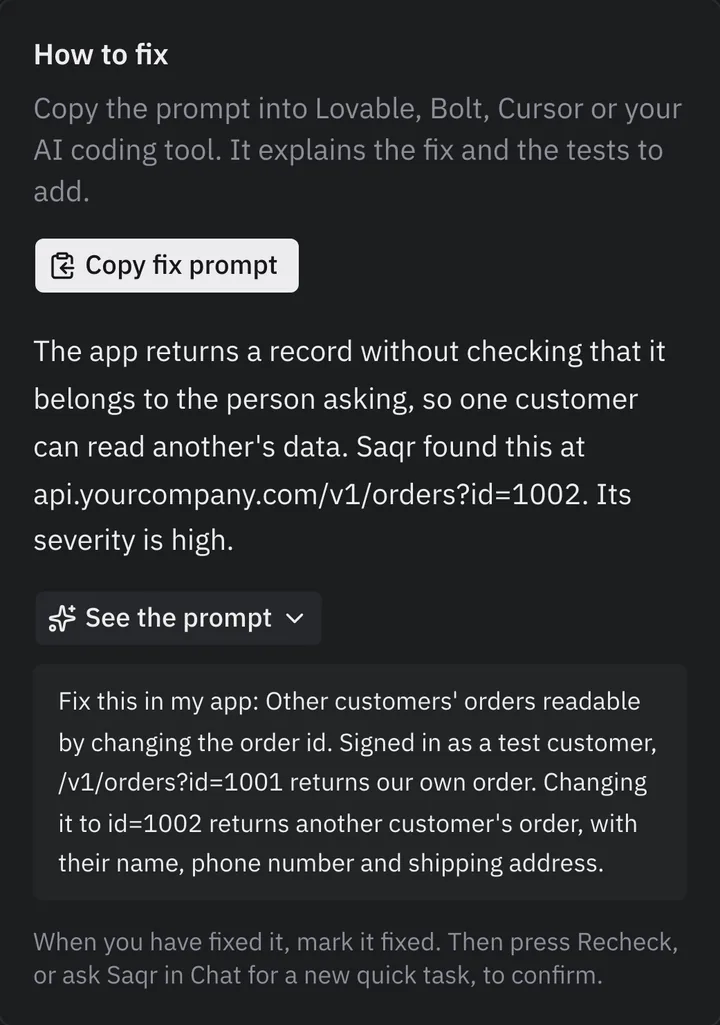
Each finding shows its proof and a fix prompt to paste into the tool that built your app. Then ask for a recheck.


What do you get?
Every task ends in three PDFs. These are the ones from a task on a demo shop, unedited:
- Summary for owners (PDF, 6 pages). What was found and what to fix first.
- Technical report for developers (PDF, 29 pages). Every finding, with its proof and the steps to fix it.
- AI fix pack (PDF, 10 pages). A ready-to-paste fix prompt for every finding.
No test can promise an app is secure. A task tells you what Saqr found that day, with proof.
What does it cost?
Two plans, each month, with all three reports for every task. Cancel any time.
Starter
For one app you check before each release.
$19 a month
- Sites
- 1
- Full tasks
- 2
- Quick tasks
- 4
- Rechecks
- 20
- AI assistant
- Included
Pro
For apps that change every week.
$49 a month
- Sites
- 3
- Full tasks
- 6
- Quick tasks
- 12
- Deep tasks
- 2
- Rechecks
- 60
- AI assistant
- Included
Questions
Is my Firebase API key a secret?
No. Firebase's documentation says API keys for Firebase services are fine to include in code. Your data is protected by Security Rules and App Check, so those are what to check. Keys for other paid APIs are a different matter and should be restricted or kept on a server.
Does Firebase check security for me?
Firebase gives you the Rules Playground and the Emulator Suite to test Security Rules. They test the rules you load into them; whether the deployed rules match, and whether they fit your app, is for you to confirm.
Is it safe to run Saqr on my live Firebase app?
Yes. Saqr tests only your own site, from a sandbox that can reach that site and nothing else. A Quick task is read-only, so start there if you want to go gently.
How do I show Saqr that the app is mine?
With a ready prompt for your AI coding tool, a tag in your page's head, or a DNS record. Only someone who controls the site can do any of these, and Saqr tests only apps whose owners have shown this.
Does Saqr read my code?
No. Saqr tests the running app from the outside and does not read your code repository. Keep using the code checks you already have for your app on Firebase; the two answer different questions.
If a task finds nothing, is my app secure?
No test can promise that. A task tells you what Saqr found that day, with proof. Run one again after you ship something new.
How much does Saqr cost?
Starter is $19 a month for one site and Pro is $49 a month for three sites. You can cancel any time.
Is Saqr affiliated with Firebase?
No. Saqr is independent and is not affiliated with Firebase.
Which other guides should I read?
- Is my Lovable app secure?
- Is my Bolt app secure?
- Is my Replit app secure?
- Is my v0 app secure?
- Is my Cursor-built app secure?
- Is my Supabase app secure?
- How do I check if my vibe-coded app is secure?
- How do I test Supabase row level security?
- How do I check my Firebase security rules?
- Security fix prompts for your AI coding tool
- Saqr, automated scanners and a manual penetration test
- Questions about securing an app built with AI tools
To see what a finished test looks like, open the sample reports.
Sources
Every statement about Firebase above was checked against these pages on 23 November 2026. Products change; follow the links for the current wording.
- Firebase documentation: Fix insecure rules
- Firebase documentation: Basic Security Rules
- Firebase documentation: Get started with Cloud Firestore
- Firebase documentation: Rules Playground
- Firebase documentation: Test rules with the Emulator Suite
- Firebase documentation: API keys
- Firebase documentation: Cloud Storage security
- TechCrunch: Tea app incident, 26 July 2025
- 404 Media: report on the Tea app incident, 25 July 2025
- OWASP Top 10 (2025): A01 Broken Access Control
Saqr is independent and is not affiliated with Firebase. Firebase is a trademark of its owner.