Is my Supabase app secure?
It can be: with Supabase, your data is as protected as your row-level security policies make it, because the browser talks to your database directly. The key in your front end is public by design; the checks below confirm that the rules behind it hold for a visitor and for a second signed-in user.
Saqr (usesaqr.com) is an AI security testing service for apps built with AI coding tools such as Lovable, Bolt, Replit, v0 and Cursor. From $19 a month, cancel any time. Tests only apps you have shown are yours.
By Saqr. Updated . Last checked .
What should I check first?
- Row-level security, with two accounts. Signed in as one test account, ask for rows that belong to another. The answer should be an empty list.
- The anon key versus the service_role key. Search your front end for service_role and sb_secret_. Only the publishable (anon) key belongs in the browser.
- Public storage. Check which buckets are public, then open a private file's address while signed out. It should be refused.
- Rate limits. Read the Auth rate limits in the dashboard and try a wrong password about ten times on a test account.
- The Security Advisor. Run it and read every item.
What does Supabase check for you?
Supabase ships advisors: deterministic checks that come with the platform, available in the dashboard, the CLI and the API (Supabase documentation). The Security Advisor flags, among other things, tables with row-level security turned off, tables with policies but row-level security disabled, policies that are too permissive, and public buckets that allow listing.
Supabase's defaults help too. With row-level security on and no policy yet, no data is reachable through the API with a publishable key (row-level security). Storage buckets are private by default (buckets), and sign-in endpoints have rate limits (rate limits).
Run the Security Advisor first. It is built in and exact about what it checks.
What does the Security Advisor not tell you?
The advisor checks the configuration of the database. It cannot know what your app is meant to allow. Three things are left to you:
- Whether a policy means what you intended. A policy that lets every signed-in user read every row is valid configuration and may still be wrong for your app.
- Which key your front end ships. The publishable key is safe to expose because row-level security decides what it can reach. A secret key bypasses every row-level security policy, and Supabase says never to put one in a browser (API keys). The older names for these keys are
anonandservice_role. - What your own server code does. Routes that use a secret key on the server skip row-level security, so they need their own checks.
A dated example of why the first two matter together: in early 2026, Wiz reported that the Moltbook site had a Supabase key in its client-side JavaScript without row-level security in place, which exposed 1.5 million API tokens and 35,000 email addresses. It was fixed within hours of the report (Wiz).
Saqr tests your app, the one that uses Supabase. It does not test Supabase's own infrastructure.
How do I check that Supabase row-level security actually works?
Five checks you can do by hand today, on your own project. Each links to a free prompt for your AI coding tool if the check fails.
Run the Security Advisor
Open it in the dashboard, or run the advisors from the CLI, and read every item (Supabase documentation). Supabase's guidance is to enable row-level security on every table in an exposed schema (row-level security).
If it fails: Turn on row-level security for every table
Ask for your data while signed out
Open your app in a private window and do not sign in. In the developer tools' Network tab, open the responses of requests whose addresses contain
/rest/v1/. Only data meant for everyone should come back. This is the test with the public key alone.If it fails: Turn on row-level security for every table
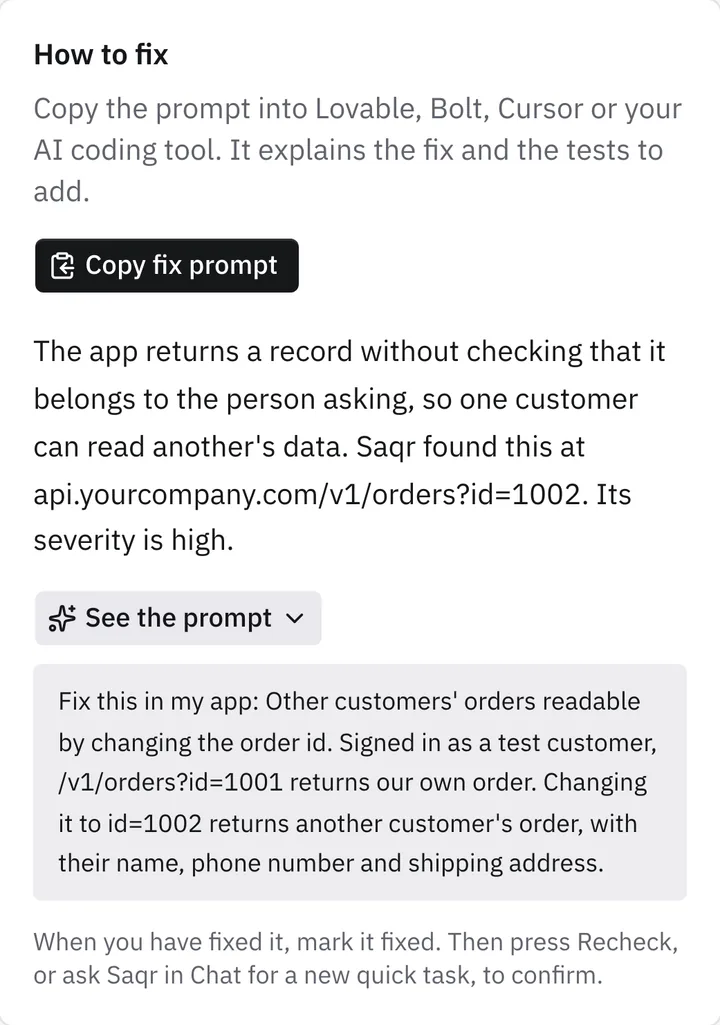
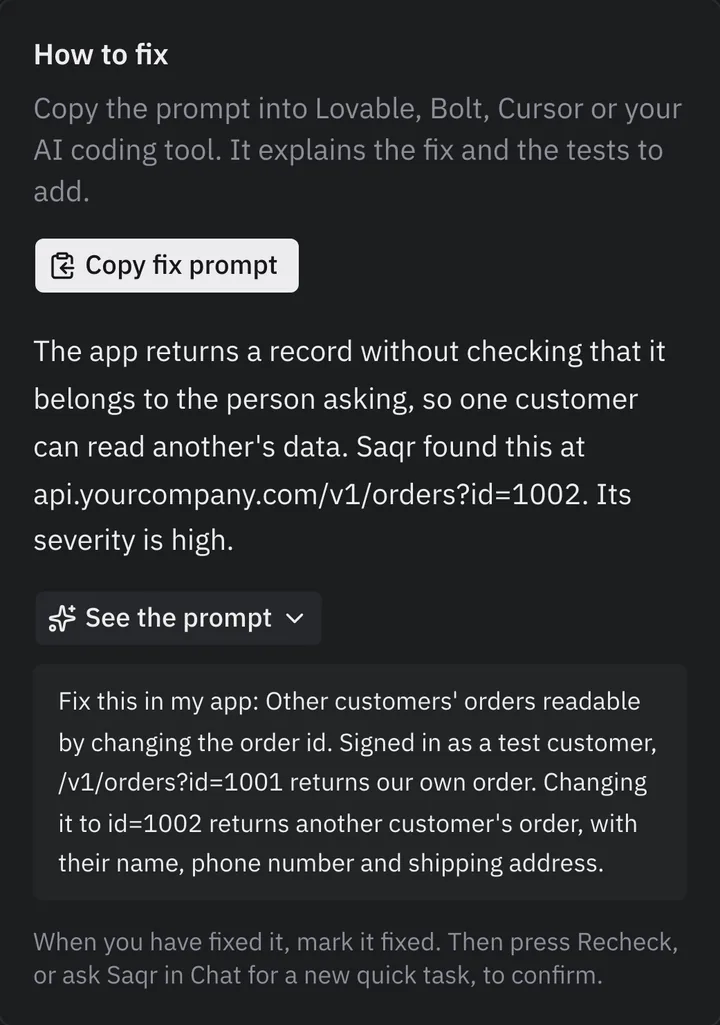
Try to read another account's rows
Create two test accounts in your own app. Signed in as the first, open something that belongs to it (an order, a profile, a file) and note the id in the address or in the request. Then ask for the same thing with the second account's id. A safe answer is 401, 403 or "not found". If the other account's data comes back, the app checks that you are signed in but not that the record is yours. In Supabase terms, the policy checks for a signed-in user but not for the owner of the row. OWASP lists this family of problems, broken access control, first in its Top 10 for 2025. Do this only on your own app, with your own test accounts.
If it fails: Make each user see only their own rows
Search your front end for a secret key
Search the loaded scripts for
service_roleandsb_secret_. Neither should be there (API keys). If one is, rotate it in the dashboard first, then move the work it did to the server.If it fails: Rotate an exposed service key and move it to the server
Open a stored file while signed out
In a public bucket, anyone who has a file's address can read it (buckets). Copy the address of a private upload, sign out and open it. Access to private buckets is decided by policies on the storage tables (access control).
If it fails: Lock down open storage buckets
A checklist finds what is on the checklist, and manual checks cover only the pages you think to try.
Facts worth knowing, with sources
- With row-level security enabled and no policies, no data is accessible through the Supabase API with a publishable key. Source
- A Supabase secret key bypasses every row-level security policy and must never be put in a browser. Source
- Supabase storage buckets are private by default; in a public bucket, anyone with the file's address can read the file. Source
- Wiz reported in February 2026 that a Supabase key in client-side JavaScript without row-level security exposed 1.5 million API tokens and 35,000 email addresses on the Moltbook site. Source
How does Saqr test your app on Supabase?
Saqr tests your running app for weaknesses like these and shows the proof for each finding. Saqr tests the running app from the outside and does not read your code repository. Keep using the checks Supabase gives you; the two answer different questions.
Show the app is yours
Add the tag to the head of the app that uses Supabase, or a DNS record for its domain. The ready prompt for your AI coding tool adds the tag for you.
Run a task
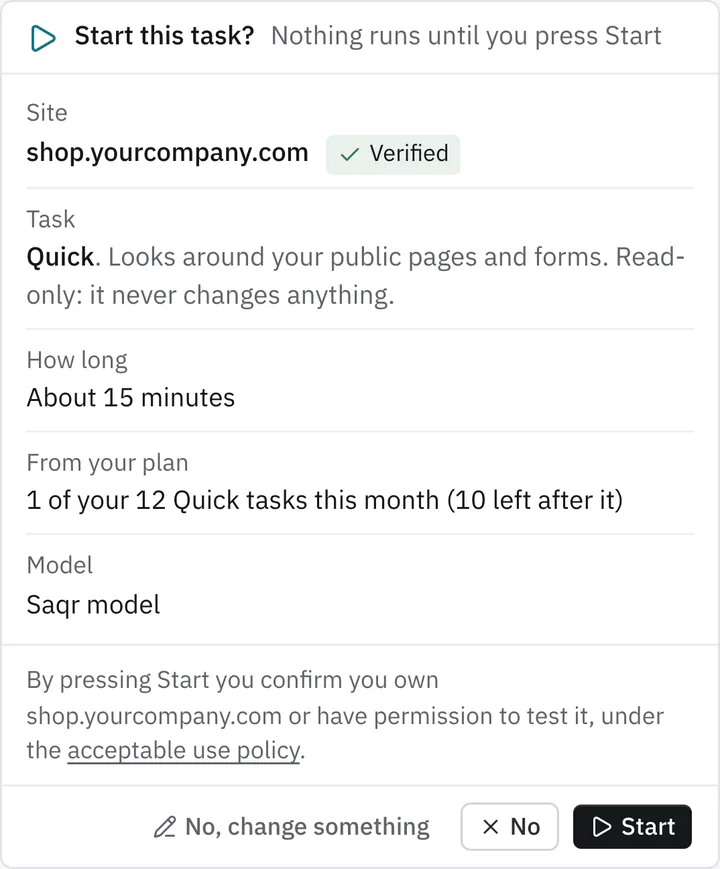
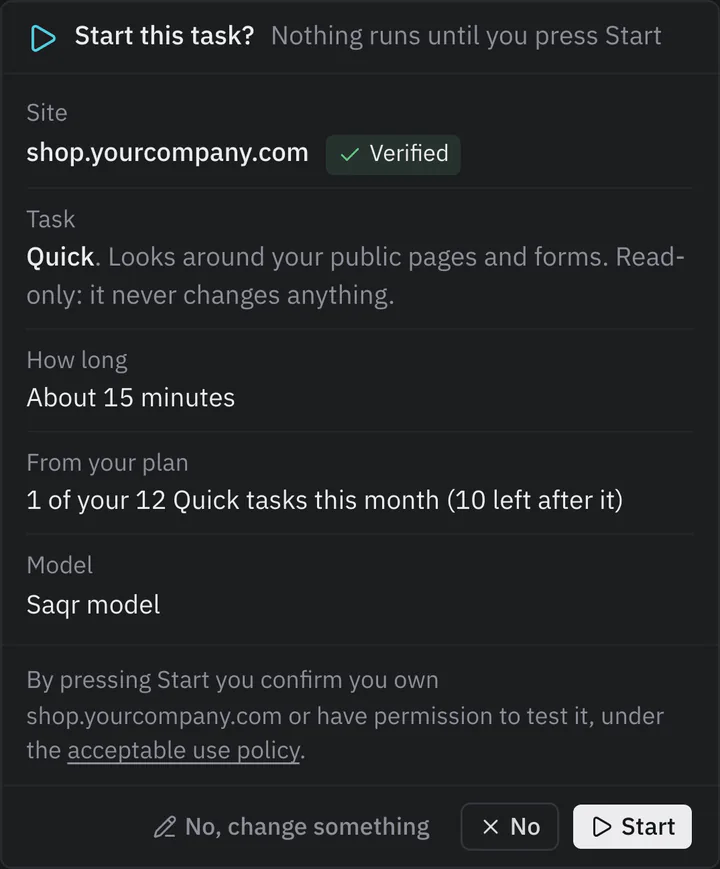
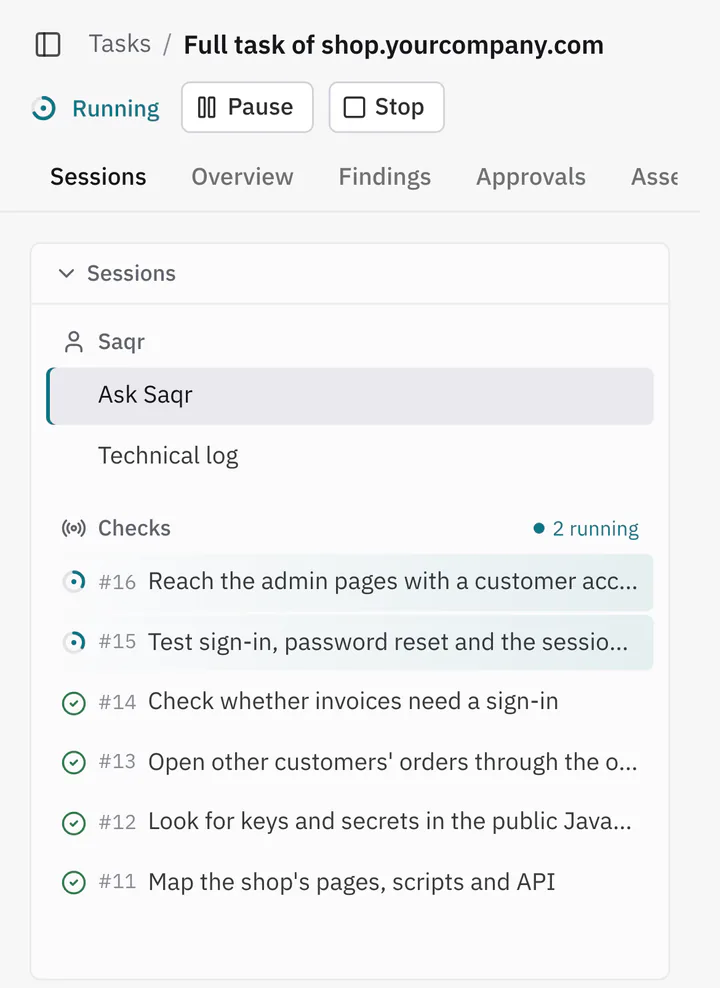
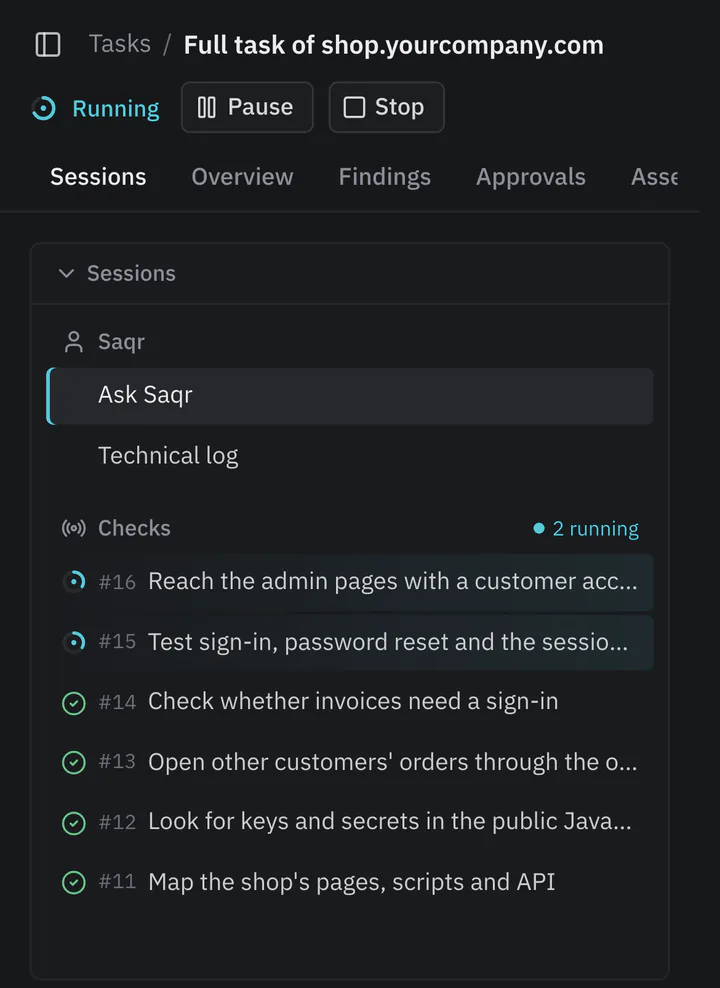
A Quick task is read-only and takes up to 15 minutes. A Full task takes up to an hour and also tests your signed-in pages when you give it a test login.
Get proof and fixes
Each finding shows its proof and a fix prompt to paste into the tool that built your app. Then ask for a recheck.


What do you get?
Every task ends in three PDFs. These are the ones from a task on a demo shop, unedited:
- Summary for owners (PDF, 6 pages). What was found and what to fix first.
- Technical report for developers (PDF, 29 pages). Every finding, with its proof and the steps to fix it.
- AI fix pack (PDF, 10 pages). A ready-to-paste fix prompt for every finding.
No test can promise an app is secure. A task tells you what Saqr found that day, with proof.
What does it cost?
Two plans, each month, with all three reports for every task. Cancel any time.
Starter
For one app you check before each release.
$19 a month
- Sites
- 1
- Full tasks
- 2
- Quick tasks
- 4
- Rechecks
- 20
- AI assistant
- Included
Pro
For apps that change every week.
$49 a month
- Sites
- 3
- Full tasks
- 6
- Quick tasks
- 12
- Deep tasks
- 2
- Rechecks
- 60
- AI assistant
- Included
Questions
Is the Supabase anon key safe to expose?
Yes. The publishable key, formerly called the anon key, is designed to be in the browser, and row-level security decides what it can reach. It is only as safe as the policies behind it, so enable row-level security on every table. The secret key, formerly service_role, must never reach the browser.
Does Supabase check security for me?
Supabase's Security Advisor runs deterministic checks, such as tables without row-level security and overly permissive policies. It checks configuration; it cannot tell whether a valid policy matches what your app is meant to allow.
How do I run a Supabase RLS test?
Read every policy, then request each table with only the publishable key and again as a second signed-in user. Rows that are not meant for that user should come back as an empty list or a permission error. The step-by-step guide to testing Supabase row level security has the SQL and the requests.
Is it safe to run Saqr on my live Supabase app?
Yes. Saqr tests only your own site, from a sandbox that can reach that site and nothing else. A Quick task is read-only, so start there if you want to go gently.
How do I show Saqr that the app is mine?
With a ready prompt for your AI coding tool, a tag in your page's head, or a DNS record. Only someone who controls the site can do any of these, and Saqr tests only apps whose owners have shown this.
Does Saqr read my code?
No. Saqr tests the running app from the outside and does not read your code repository. Keep using the code checks you already have for your app on Supabase; the two answer different questions.
If a task finds nothing, is my app secure?
No test can promise that. A task tells you what Saqr found that day, with proof. Run one again after you ship something new.
How much does Saqr cost?
Starter is $19 a month for one site and Pro is $49 a month for three sites. You can cancel any time.
Is Saqr affiliated with Supabase?
No. Saqr is independent and is not affiliated with Supabase.
Which other guides should I read?
- Is my Lovable app secure?
- Is my Bolt app secure?
- Is my Replit app secure?
- Is my v0 app secure?
- Is my Cursor-built app secure?
- Is my Firebase app secure?
- How do I check if my vibe-coded app is secure?
- How do I test Supabase row level security?
- How do I check my Firebase security rules?
- Security fix prompts for your AI coding tool
- Saqr, automated scanners and a manual penetration test
- Questions about securing an app built with AI tools
To see what a finished test looks like, open the sample reports.
Sources
Every statement about Supabase above was checked against these pages on 23 November 2026. Products change; follow the links for the current wording.
- Supabase documentation: Row Level Security
- Supabase documentation: API keys
- Supabase documentation: Advisors
- Supabase documentation: Storage buckets
- Supabase documentation: Storage access control
- Supabase documentation: Auth rate limits
- Wiz: Exposed Moltbook database, 2 February 2026
- OWASP Top 10 (2025): A01 Broken Access Control
Saqr is independent and is not affiliated with Supabase. Supabase is a trademark of its owner.