Is my Replit app secure?
It may be. An app that works can still expose data, and the only way to know is to test the running app. Replit's Security Center checks your dependencies and code, and its deepest scan level also tests the live Preview from the outside; the checks below cover the published app your users open, as a visitor and as a second signed-in user.
Saqr (usesaqr.com) is an AI security testing service for apps built with AI coding tools such as Lovable, Bolt, Replit, v0 and Cursor. From $19 a month, cancel any time. Tests only apps you have shown are yours.
By Saqr. Last checked .
What should I check first?
- The scan levels. Open Security Center and run Level 2 or Level 3 before you publish. Publishing does not start them for you.
- Who can open it. Open the published address in a private window. A personal workspace publishes apps as public by default.
- Two accounts. Signed in as one test account, ask for a record that belongs to another. It should be refused.
- Secret keys. Search the published app's scripts for secret keys. Keys belong in Secrets, read by server code only.
- Rate limits. Enter a wrong password about ten times on a test account. A wait or a lock should appear.
What does Replit check for you?
Replit's Security Center, in your project's Tools pane, brings its checks together (Security Center). Dependency scans run automatically and match newly disclosed vulnerabilities against your packages; a lightweight check looks for hardcoded secrets while the agent builds; and a scan runs before publishing, which can block a publish with critical issues if you turn that setting on.
Replit describes three scan levels (scan levels):
- Level 1 checks your dependencies for known vulnerabilities, on the free plan.
- Level 2 adds an agent review of your source code, on a paid plan. The agent combines a model's review with static analysis tools such as Semgrep and HoundDog.ai, looking for patterns such as SQL injection and cross-site scripting (agent security scans).
- Level 3 adds a black-box penetration test of your live Preview, with additional plan and project access requirements. For apps that use Clerk Auth, it runs once anonymously and once signed in as a synthetic user, and creates a second synthetic user to check the boundary between accounts (black-box pen tests).
Replit also stores your keys as Secrets, encrypted at rest and in transit and handed to your app as environment variables (Secrets). Replit itself says a clean scan, at any level, does not guarantee an app is secure. All of this is worth using every time.
What do the scans not tell you?
The scans are worth running every time. Four things are still worth checking yourself:
- Whether the deeper scans ran. Publishing does not start a Level 2 review or a Level 3 test (scan levels). They run when you start them.
- The published app, not only the Preview. Replit describes the Level 3 test running against the live Preview. Your users open the published address, so test that one too.
- Who can open the app. Published apps in a personal workspace are public by default, with password, workspace-only and invite-only options (private deployments). If an internal tool is public, anything it serves without sign-in is public too.
- Access between accounts, whatever the sign-in. The two-user pass is described for apps that use Clerk Auth. If your app signs users in another way, test it with your own two accounts. And a key kept in Secrets is only safe while server code reads it: once code in the browser needs it, it is sent to every visitor.
How do I check if my Replit app leaks data?
Five checks you can do by hand today, on your own app. Each links to a free prompt you can paste into Replit's agent if the check fails.
Run the deeper scan levels before you publish
Open Security Center, select Run scan and choose Level 2, or Level 3 if your plan includes it (scan levels). Replit recommends running a scan again after major code changes, after adding or updating dependencies, and before publishing a new version (agent security scans).
If it fails: Require sign-in on every API route by default
Check who can open the published app
Open your app's published address in a private window. If it is a tool for you or your team and it opens for anyone, change its visibility (private deployments) or make sure every page and route requires sign-in.
If it fails: Require sign-in on every API route by default
Try to read another account's data
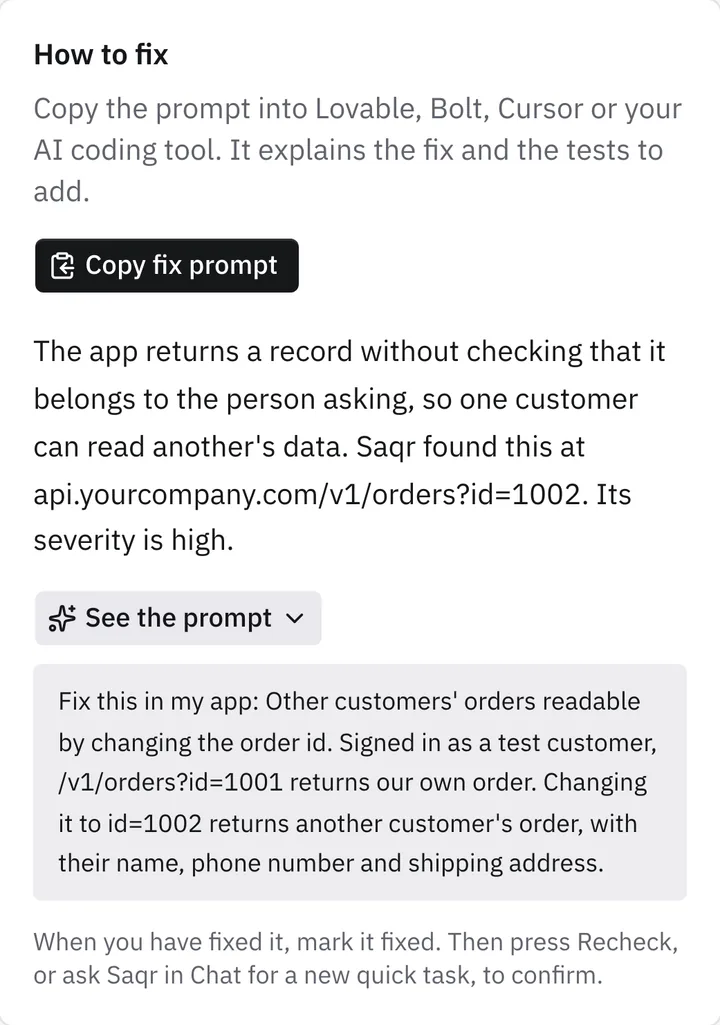
Create two test accounts in your own app. Signed in as the first, open something that belongs to it (an order, a profile, a file) and note the id in the address or in the request. Then ask for the same thing with the second account's id. A safe answer is 401, 403 or "not found". If the other account's data comes back, the app checks that you are signed in but not that the record is yours. Do it on the published address, not only in the Preview. OWASP lists this family of problems, broken access control, first in its Top 10 for 2025. Do this only on your own app, with your own test accounts.
If it fails: Stop one user reading another user's records by changing an id
Search the published app's scripts for secret keys
Open your published app, open the browser's developer tools and search the loaded scripts for the names of the services you use and for words such as
secret,sk_andservice_role. Keys belong in Secrets and should be read only by server code. A key that its provider documents as public is fine there. A secret key is not: rotate it first, then move the call to the server.If it fails: Move secret keys out of the browser bundle
Enter a wrong password ten times
If your app has its own sign-in, try a wrong password ten times with a test account. If nothing slows you down, passwords can be guessed by repetition. The login rate limiting guide shows how to add a limit.
If it fails: Add a rate limit to sign-in and password reset
A checklist finds what is on the checklist, and manual checks cover only the pages you think to try.
Facts worth knowing, with sources
- Replit's Level 3 scan adds an external black-box penetration test of the live Preview to the agent's source-code review. Source
- Publish checks do not trigger a Level 2 review or a Level 3 test on Replit. Source
- Published Replit apps in a personal workspace are public by default. Source
- Replit Secrets are encrypted with AES-256 at rest and TLS in transit. Source
How does Saqr test your Replit app?
Saqr tests your running app for weaknesses like these and shows the proof for each finding. Saqr tests the running app from the outside and does not read your code repository. Keep using the checks Replit gives you; the two answer different questions.
Show the app is yours
Paste the ready prompt into Replit's agent and publish again. It adds one tag to your page's head. A DNS record works too.
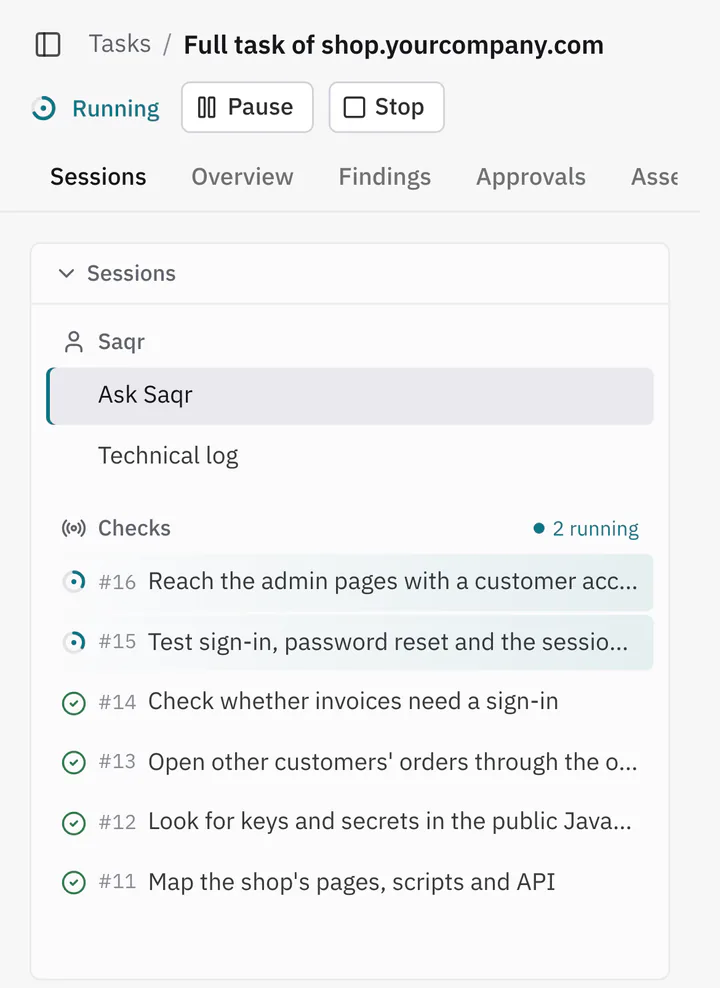
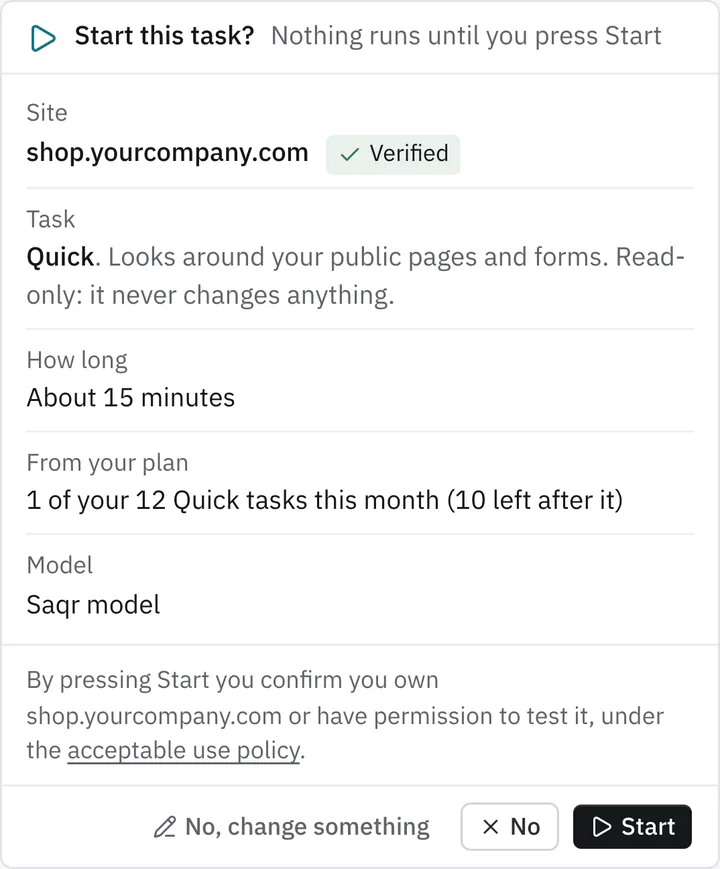
Run a task
A Quick task is read-only and takes up to 15 minutes. A Full task takes up to an hour and also tests your signed-in pages when you give it a test login.
Get proof and fixes
Each finding shows its proof and a fix prompt to paste into the tool that built your app. Then ask for a recheck.


What do you get?
Every task ends in three PDFs. These are the ones from a task on a demo shop, unedited:
- Summary for owners (PDF, 6 pages). What was found and what to fix first.
- Technical report for developers (PDF, 29 pages). Every finding, with its proof and the steps to fix it.
- AI fix pack (PDF, 10 pages). A ready-to-paste fix prompt for every finding.
No test can promise an app is secure. A task tells you what Saqr found that day, with proof.
What does it cost?
Two plans, each month, with all three reports for every task. Cancel any time.
Starter
For one app you check before each release.
$19 a month
- Sites
- 1
- Full tasks
- 2
- Quick tasks
- 4
- Rechecks
- 20
- AI assistant
- Included
Pro
For apps that change every week.
$49 a month
- Sites
- 3
- Full tasks
- 6
- Quick tasks
- 12
- Deep tasks
- 2
- Rechecks
- 60
- AI assistant
- Included
Questions
Is my Replit app secure by default?
Not automatically. Replit gives you encrypted Secrets, automatic dependency scans and deeper scans you can start, but what your published app exposes depends on its own routes, sign-in and data rules. Test the published app to see what it really returns.
Does Replit check security for me?
Partly, and in layers. Security Center scans dependencies automatically and runs a check before publishing. You can start an agent review of your code and, at Level 3, a black-box test of the live Preview. Publishing does not start the deeper levels, so run them yourself and test the published app too.
Does Replit's Level 3 pen test replace testing my app?
It is a real test of the running app and worth running. Replit describes it running against the live Preview, with a signed-in pass for apps that use Clerk Auth. Test the published address as well, and test access between accounts yourself if your app uses another sign-in.
Is it safe to run Saqr on my live Replit app?
Yes. Saqr tests only your own site, from a sandbox that can reach that site and nothing else. A Quick task is read-only, so start there if you want to go gently.
How do I show Saqr that the app is mine?
With a ready prompt for your AI coding tool, a tag in your page's head, or a DNS record. Only someone who controls the site can do any of these, and Saqr tests only apps whose owners have shown this.
Does Saqr read my code?
No. Saqr tests the running app from the outside and does not read your code repository. Keep using the code checks you already have for your Replit app; the two answer different questions.
If a task finds nothing, is my app secure?
No test can promise that. A task tells you what Saqr found that day, with proof. Run one again after you ship something new.
How much does Saqr cost?
Starter is $19 a month for one site and Pro is $49 a month for three sites. You can cancel any time.
Is Saqr affiliated with Replit?
No. Saqr is independent and is not affiliated with Replit.
Which other guides should I read?
- Is my Lovable app secure?
- Is my Bolt app secure?
- Is my v0 app secure?
- Is my Cursor-built app secure?
- Is my Supabase app secure?
- Is my Firebase app secure?
- How do I check if my vibe-coded app is secure?
- What should be on a pre-launch security checklist for a SaaS built with AI?
- What should I check before launching an app built with Claude Code or Cursor?
- What is the OWASP Top 10, in plain words?
- How do I test my own app for broken access control (IDOR)?
- How do I test Supabase row level security?
- Supabase anon key vs service_role key: which one is safe in the browser?
- How do I check if a Supabase storage bucket is public?
- How do I check my Firebase security rules?
- My Firebase API key is public. Is that safe?
- I exposed an API key in my frontend. What do I do now?
- How do I add and test login rate limiting in an app built with AI tools?
- Are my session cookies secure, and how do I check them?
- Which security headers should my Next.js or Vite app set?
- Is my CORS configuration safe, and how do I check it?
- Security fix prompts for your AI coding tool
- Saqr, automated scanners and a manual penetration test
- Questions about securing an app built with AI tools
To see what a finished test looks like, open the sample reports.
Sources
Every statement about Replit above was checked against these pages on 24 November 2026. Products change; follow the links for the current wording.
- Replit documentation: Security Center
- Replit documentation: Security scan levels
- Replit documentation: Agent security scans
- Replit documentation: Black-box pen tests
- Replit documentation: Secrets
- Replit documentation: Private deployments
- OWASP Top 10 (2025): A01 Broken Access Control
Saqr is independent and is not affiliated with Replit. Replit is a trademark of its owner.